Choosing a reliable printer for international business is rarely as simple as comparing speed and price. In 2026, global buyers must examine print volume, energy use, connectivity, service access, and regional compatibility. This guide introduces leading laser ink printers for offices, retailers, schools, and home workspaces. It focuses on practical performance rather than impressive claims alone.
A strong model should deliver sharp text, stable wireless printing, and predictable running costs. A busy purchasing desk may print hundreds of invoices each morning. A compact office may need quiet operation and automatic duplex printing instead. Buyers should also check voltage requirements, language support, warranty coverage, and replacement cartridge availability. These details can matter more than a slightly faster page-per-minute rating.
The featured printers are assessed through an experience-based lens. We consider everyday setup, paper handling, mobile printing, maintenance, and long-term value. Manufacturer specifications provide a useful foundation, but independent testing and verified user feedback add necessary context. Some advertised savings may disappear when high-yield cartridges are difficult to source. That weakness deserves attention.
No single printer fits every country or workplace. Local taxes, shipping costs, technical support, and paper standards can change the final decision. Therefore, readers should confirm current specifications with manufacturers and authorized sellers before purchasing. This 2026 overview aims to make that process clearer, more realistic, and easier to compare across global markets. Expect useful guidance, but not perfect answers.
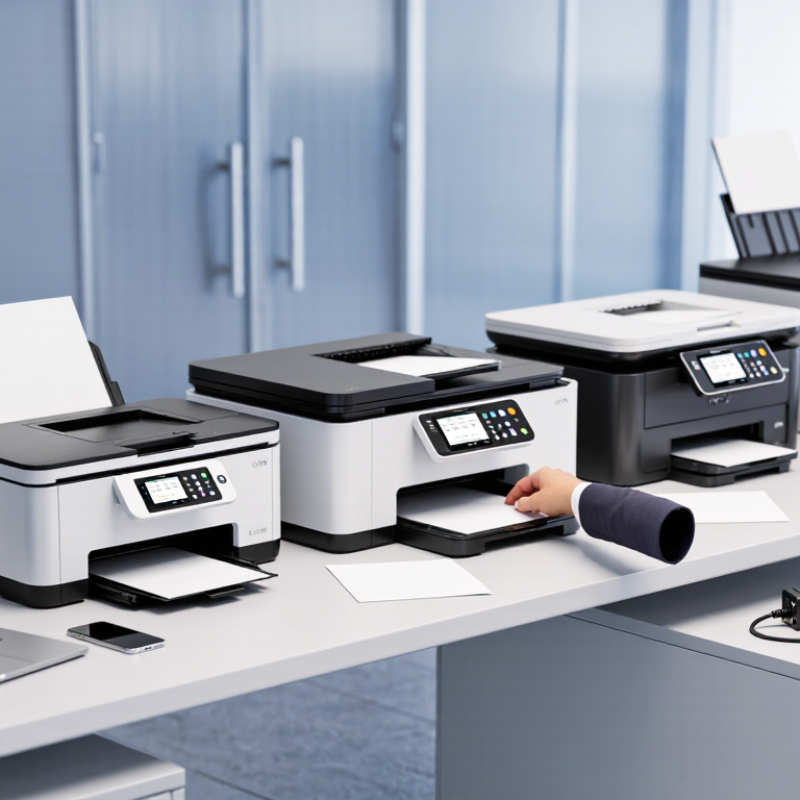
2026 Top Laser Ink Printers for Global Buyers
What Laser Ink Printers Are and How They Work
Laser ink printers are usually laser printers that use toner, not liquid ink. Toner is a fine powder made from pigment and polymer particles. A laser beam draws each page as an electrical pattern on a rotating drum. The drum attracts toner to selected areas. Heat and pressure then fuse the powder onto paper. The page feels dry immediately.
In daily office use, this process produces sharp text and steady results. It also handles frequent printing better than many basic ink systems. I have found that paper quality still matters. Thin paper may curl near the fuser. Dust can weaken small details. Color models use separate toner layers, so alignment must remain precise. They are fast, but not perfect. Some first pages look slightly lighter after long idle periods.
Tips: Check the printer’s voltage range before importing it. Confirm toner availability in your region. Test local paper sizes, including A4 and Letter. Keep the machine level and away from high humidity. Ask for measured print speed, not only the advertised figure. Firmware and replacement parts also affect long-term reliability. A lower purchase price can become expensive when supplies are difficult to source. My own mistake was comparing speed alone. Total operating cost deserved more attention.
| Printer Category | How It Works | Typical Print Speed | Typical Resolution | Color Capability | Recommended Monthly Volume | Typical First-Page-Out Time | Best-Fit Applications |
|---|---|---|---|---|---|---|---|
| Compact Monochrome | A laser beam or LED imaging array forms an electrostatic image on a photosensitive drum. Toner is transferred to paper and fused with heat and pressure. | 18–35 pages per minute | 600 × 600 dpi to 1,200 × 1,200 dpi | Black and white | Up to about 2,500 pages | Approximately 6–10 seconds | Home offices, study materials, invoices, shipping documents, and routine text printing |
| Office Monochrome | A charged drum attracts toner in the pattern created by the optical imaging system. The toner is then permanently fused onto the sheet. | 35–60 pages per minute | 600 × 600 dpi to 1,200 × 1,200 dpi | Black and white | 2,500–10,000 pages | Approximately 4–8 seconds | Departments, schools, logistics operations, legal documents, and high-volume business forms |
| Compact Color | Four toner colors—cyan, magenta, yellow, and black—are applied in separate imaging stages or through a combined belt system before fusing. | 18–35 pages per minute | 600 × 600 dpi to 2,400 × 600 dpi | Full color and black and white | Up to about 3,000 pages | Approximately 8–15 seconds | Presentations, charts, marketing drafts, classroom materials, and internal color documents |
| Office Color | Digital color data controls toner deposition for four process colors. A fuser bonds the toner particles to compatible paper and specialty media. | 30–50 pages per minute | 600 × 600 dpi to 1,200 × 1,200 dpi | Full color and black and white | 3,000–10,000 pages | Approximately 6–12 seconds | Corporate offices, retail operations, training materials, proposals, and customer-facing documents |
| High-Speed Production | A continuous-duty imaging and fusing system processes large print runs with high-capacity toner supplies, advanced paper handling, and automated calibration. | 60–150+ pages per minute | 600 × 600 dpi to 2,400 × 2,400 dpi | Monochrome or full color, depending on configuration | 20,000–100,000+ pages | Approximately 2–6 seconds | Commercial print rooms, transactional documents, direct mail, book interiors, and publishing workflows |
Laser printers generally fall into three practical groups: monochrome single-function units, color printers, and multifunction printers. Monochrome models suit invoices and shipping documents. Color models help with charts, labels, and customer-facing materials. Multifunction devices add scanning and copying, but take more desk space. A real trade-off.
Buyers should compare print speed with monthly duty cycle, paper capacity, duplex printing, and the cost of replacement toner. A fast first page means little if the device pauses often or needs frequent paper refills.
Energy and security deserve equal attention. ENERGY STAR’s imaging-equipment guidance reports that certified printers are about 25% more energy efficient than conventional models. Quocirca’s 2024 Print Security Landscape reported that 67% of surveyed organizations had experienced print-related data loss. These findings support checking sleep settings, access controls, and secure-release printing before purchase.
Global buyers should also confirm supported paper sizes, local voltage, network compatibility, and service availability. Regional toner supply matters. It can change operating costs more than a small difference in purchase price. I would not rank devices by speed alone; real workloads, service access, and energy use can expose gaps in a specification sheet. The right choice is not always obvious.
For global buyers, compare laser printers using measured output, not headline speed alone. ISO/IEC 24734 defines a method for measuring office-printer productivity, while ISO/IEC 19752 standardizes black-toner yield testing. These benchmarks make model comparisons fairer, though real results vary with page coverage, duplex settings, and warm-up time. A dense invoice may print differently from a page of plain text. Check sample pages for sharp small fonts, even gray fills, and clean edges. Fast, yes. But legibility matters more.
Total cost needs a page-level calculation. Add the purchase price, toner, drum or maintenance parts, and expected electricity use, then divide by the pages you actually print. For example, at 5,000 pages monthly, a one-cent difference in cost per page equals $50 each month. That is $600 a year. Use tested toner-yield figures, not only the capacity printed on a cartridge; ISO/IEC 19752 provides a standardized reference. Independent lab evaluations, including Keypoint Intelligence’s Buyers Lab testing, can help verify speed, output quality, and reliability. Still, no test sheet fully predicts your office. Run a small trial with your own forms before committing.
Typical advertised print-speed ranges by printer class (pages per minute, A4/Letter). No brands or companies are included.
Speed is only one comparison point. Check the stated resolution and sample output for print quality, and compare purchase price plus toner, drum, and maintenance costs per page. Ranges are indicative; actual throughput depends on the model, settings, paper size, and test method.
Global buyers should treat regional standards as a performance requirement, not a paperwork detail. Voltage, plug design, wireless frequencies, and electrical safety rules can vary by destination. A printer configured for one market may need a different power cable or certified adapter elsewhere. Check the rating label. Also verify supported paper sizes, duplex settings, and toner availability before placing a large order. In procurement reviews, these small details often determine whether installation takes minutes or several days.
Connectivity deserves equal attention. Ethernet remains useful in offices with fixed workstations and controlled network access. Wi-Fi is convenient, but crowded channels can weaken performance in busy buildings. USB can rescue a temporary setup, though it may not suit shared printing. Confirm support for current operating systems, driver languages, mobile protocols, and network authentication methods. A printer that connects quickly but cannot process local documents is still a poor fit.
Compatibility testing should use real files, not only specification sheets. Print a spreadsheet, a scanned invoice, and a document with mixed fonts. Check margins, image sharpness, paper feeding, and automatic two-sided alignment. One overlooked issue is regional language support in menus and drivers. Even careful checklists fail sometimes. A short pilot order can expose these gaps before a full shipment creates expensive rework.
Choosing a laser ink printer for 2026 requires more than comparing speed and advertised resolution. Global buyers should check monthly duty cycles, duplex performance, paper compatibility, and regional voltage requirements. A reliable machine should produce sharp text on ordinary office paper without frequent calibration. Test printed pages before purchase, if possible. Small details matter.
Maintenance affects the real cost of ownership. Keep the paper path clean, remove dust gently, and store toner in a cool, dry cabinet. Check whether the drum, fuser, and waste-toner container are replaceable separately. Supplies should have clear yield ratings and stable availability in your region. I once underestimated shipping delays; the printer was ready, but replacement toner was not. That mistake changed how I evaluate total cost.
Tips: Calculate cost per page using toner yield, drum life, energy use, and service fees. Keep one sealed toner unit for urgent jobs. Do not ignore warning messages, even when pages still look acceptable. A slightly uneven print may signal deeper wear. Compare warranty coverage, repair access, user reviews, and technical documentation. Independent test data is useful, but it is never perfect. Leave room for uncertainty.



„Thanks to the LUVIR technology, the solder resist process could be switched directly from the previously used mask exposure to direct exposure. As an outstanding digital solution on the market, this technology has been able to demonstrate fast process times and superior quality on our certified conventional ink in production. This allowed us to fully digitize the solder mask process at low cost – without process or ink adjustments. An excellent benefit to our production in Rot am See.“
Ralf Göhringer (Head of Production WE Rot am See)
I would definitely recommend the Limata machine and team for a future company purchase
Michael Greenaway
Compunetics Inc.
“The Limata ldi has been amazing!! Best thing we did was buy this machine”
Richard Brady
GM
Circuitlabs
“Since 2019, we have been running the Limata X1000 LDI system (including LUVIR for solder mask imaging) in daily production as an addition to our current process with film. The machine was capable of properly exposing Taiyo PSR-4000 BN (DI) solder mask types on normal to high-copper boards using a new and unique direct imaging process. The machine operating interface is very user friendly which allowed for a quick technical training curve. The pre-registration processing reduced several seconds of production time at every print. Limata support and service staff is incomparable. They supported our team every step of the way at basically any time of the day or night, with literally, an immediate response time, customizing the software interface to best fit our Operations and needs.
We have exposed more than 8,000 prints since end of October, on various solder mask colors and some resist film panels. Limata, has proven to be very capable and innovative. They are a strong contender in the industry.
We have very much enjoyed this project, and working with the team!
Thank you Limata for the continued support and being a part of our growth.”
Bill Sezate
Vice President, GM
Summit Interconnect
As a replacement to our current contact exposure process with film, the LIMATA X2000 system including LUVIR-Technology was capable of properly exposing non-LDI solder mask types using a direct imaging process. The machine offers cutting edge software with a very intuitive operating interface which allowed for quick technician training curve. The dual drawer system combined with pre-registration processing reduced several seconds of production time at every machine cycle. Limata support and service staff is world class. They added software patches to keep production running at shortest possible response times, customized the software interface to best fit our in-house Operations system, and even wrote a step-by-step machine processing manual. As a result of the project, we have exposed more than 16,000 times on various product types and solder mask brands/colors. Limata, in a very short timeframe as a company, has definitely shown they are truly innovative and will be challenging the industry of direct imaging for the top spot.
Kevin Beattie
Process Engineer
TTM Technologies
Forest Grove Division