In today’s fast-paced world, technology has transformed the way we interact with information. A Handheld Scanner is one such innovation, catering to various needs. These devices allow users to digitize documents quickly, enhancing productivity. Possessing a compact design, they are perfect for both personal and office use.
Understanding how a Handheld Scanner works involves exploring its key components. Typically, it features a light source, optics, and sensors that convert physical documents into digital files. Users often underestimate the importance of resolution and scanning speed. These factors significantly influence the quality of scanned images.
While Handheld Scanners offer convenience, they are not without limitations. Battery life can diminish over time, impacting usability. Additionally, improper handling may lead to damaged files. Hence, effective use of this technology requires attention and care. By recognizing both advantages and challenges, users can make better decisions regarding their scanning needs.
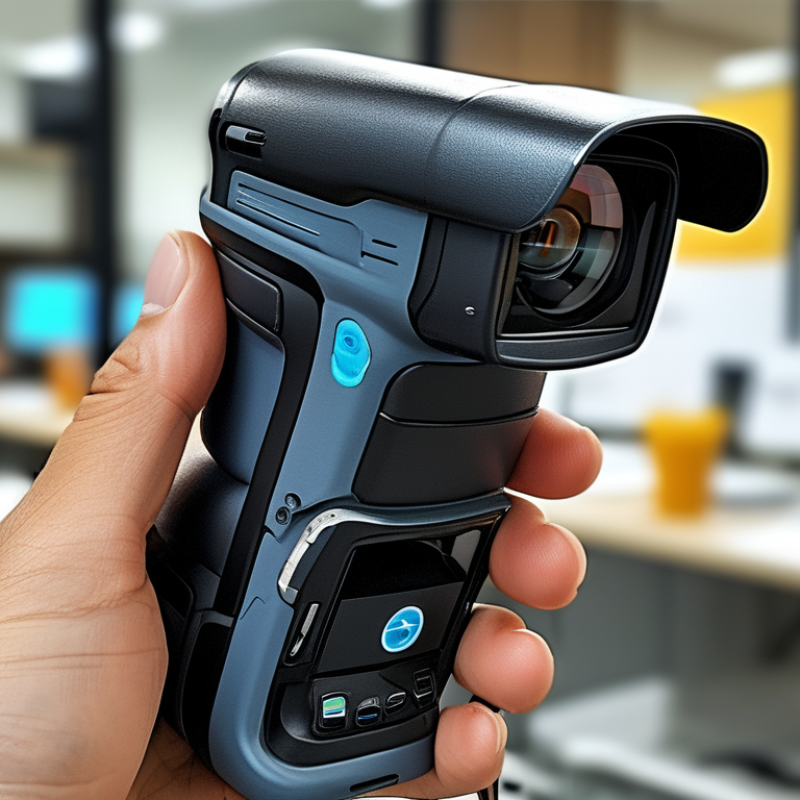
Handheld scanners are versatile tools that allow users to quickly digitize documents and images on the go. These devices come in various sizes and typically feature a compact design. They are lightweight and easy to use, making them ideal for professionals and students alike. Handheld scanners work by shining a light on the document. The reflected light is then captured by a sensor, which converts the image into a digital format. This process is straightforward and often requires just a press of a button.
When using a handheld scanner, consider these tips. Always ensure your document is flat to avoid any distortions. Scan in a well-lit area to enhance image clarity. Avoid scanning in extreme conditions, as this may affect the scanner’s performance. Some users may encounter issues with connectivity or software compatibility. It could be beneficial to familiarize yourself with the user manual to troubleshoot effectively.
Checking the scan resolution is crucial for quality. A higher resolution results in better clarity but larger file sizes. Regularly updating the scanner's software can also improve functionality. With practice, you can develop an efficient workflow that suits your scanning needs. Remember to evaluate the types of documents you frequently scan to choose a model that best fits your requirements.
Handheld scanners are versatile devices that come in various types. Each type caters to specific needs, making them valuable tools for different users. One common type is the barcode scanner, widely used in retail environments. These scanners quickly read product barcodes, allowing for smooth and efficient checkout processes. They usually connect to point-of-sale systems and improve inventory management.
Another type is the document scanner. This scanner excels at digitizing physical papers. Users often find it handy for scanning receipts, contracts, and important documents on the go. The compact design makes it easy to carry in a bag. These scanners often feature automatic document feeding, which saves time and enhances productivity. However, users might encounter occasional paper jams or lower image quality with high-resolution documents.
Image scanners are also popular. They capture high-quality images, making them ideal for photographers and artists. These devices require some technical knowledge to operate effectively. Users must adjust settings for optimal results. Yet, they can be finicky, with issues like slow processing times or connectivity problems. With various options available, selecting the right scanner involves knowing specific requirements and potential limitations.
Handheld scanners are remarkable devices that bridge the gap between analog and digital worlds. These compact tools operate by capturing images of documents or barcodes. They utilize light sensors to convert physical items into digital data. When you swipe the scanner over a document, it illuminates the surface. This action creates a digital version that you can store or share.
The technology behind handheld scanners is fascinating. Most devices use CCD (Charge-Coupled Device) or CIS (Contact Image Sensor) technology. CCD sensors are known for their higher quality. They capture images by translating light into electrical signals. CIS sensors, while less expensive, are compact and efficient. These differences can impact the quality of the scanned image. It’s essential to choose the right type based on your needs.
People often overlook the importance of resolution. Higher resolutions lead to clearer images but require more storage. Factors such as battery life and scanning speed also affect usability. Battery issues can disrupt workflows, while slow scanning may deter users. Finding a balance between performance and convenience can be challenging yet crucial for optimal usage. Handheld scanners are powerful tools, but understanding their workings is vital for effective application.
Handheld scanners have transformed various industries with their versatility and convenience. These devices are commonly used in retail for inventory management. Staff can quickly scan barcodes, allowing for efficient stock control. This reduces human error and enhances accuracy. Many businesses rely on these scanners to track sales trends and optimize stock levels.
In healthcare, handheld scanners play a significant role. Medical staff use them to verify patient medications. This helps ensure the right drugs are administered and reduces the risk of mistakes. In addition, these scanners allow for quick access to patient records, improving overall care.
Educational institutions also find handheld scanners useful. Students can scan QR codes to access learning materials. This technology promotes interactive learning and increases student engagement. However, challenges exist. For instance, not all students may be tech-savvy, leading to potential gaps in usability. Despite these concerns, the applications of handheld scanners continue to grow across various fields.
Handheld scanners have revolutionized the way businesses manage documents. They offer convenience and portability, but also come with key limitations. Recent industry reports indicate that around 37% of small to medium enterprises find mobile scanning effective for document management. Yet, portability can compromise scanning quality and speed, leading to potential data inaccuracies.
One notable benefit is the ability to capture images directly from physical documents. Users can scan invoices, receipts, and other paperwork on the go. According to studies, organizations report a 25% increase in efficiency when using handheld scanners for administrative tasks. However, these devices often struggle with larger volumes of documents, which can hinder workflow during busy periods.
Battery life is another crucial consideration. Many handheld scanners have a limited lifespan, requiring frequent recharging. This can disrupt productivity when scanning long documents or multiple pages is necessary. Additionally, the compatibility with various file formats may vary, which can lead to additional challenges in data retrieval.
„Thanks to the LUVIR technology, the solder resist process could be switched directly from the previously used mask exposure to direct exposure. As an outstanding digital solution on the market, this technology has been able to demonstrate fast process times and superior quality on our certified conventional ink in production. This allowed us to fully digitize the solder mask process at low cost – without process or ink adjustments. An excellent benefit to our production in Rot am See.“
Ralf Göhringer (Head of Production WE Rot am See)
I would definitely recommend the Limata machine and team for a future company purchase
Michael Greenaway
Compunetics Inc.
“The Limata ldi has been amazing!! Best thing we did was buy this machine”
Richard Brady
GM
Circuitlabs
“Since 2019, we have been running the Limata X1000 LDI system (including LUVIR for solder mask imaging) in daily production as an addition to our current process with film. The machine was capable of properly exposing Taiyo PSR-4000 BN (DI) solder mask types on normal to high-copper boards using a new and unique direct imaging process. The machine operating interface is very user friendly which allowed for a quick technical training curve. The pre-registration processing reduced several seconds of production time at every print. Limata support and service staff is incomparable. They supported our team every step of the way at basically any time of the day or night, with literally, an immediate response time, customizing the software interface to best fit our Operations and needs.
We have exposed more than 8,000 prints since end of October, on various solder mask colors and some resist film panels. Limata, has proven to be very capable and innovative. They are a strong contender in the industry.
We have very much enjoyed this project, and working with the team!
Thank you Limata for the continued support and being a part of our growth.”
Bill Sezate
Vice President, GM
Summit Interconnect
As a replacement to our current contact exposure process with film, the LIMATA X2000 system including LUVIR-Technology was capable of properly exposing non-LDI solder mask types using a direct imaging process. The machine offers cutting edge software with a very intuitive operating interface which allowed for quick technician training curve. The dual drawer system combined with pre-registration processing reduced several seconds of production time at every machine cycle. Limata support and service staff is world class. They added software patches to keep production running at shortest possible response times, customized the software interface to best fit our in-house Operations system, and even wrote a step-by-step machine processing manual. As a result of the project, we have exposed more than 16,000 times on various product types and solder mask brands/colors. Limata, in a very short timeframe as a company, has definitely shown they are truly innovative and will be challenging the industry of direct imaging for the top spot.
Kevin Beattie
Process Engineer
TTM Technologies
Forest Grove Division