Choosing an RFID Locker System in 2026 is less about buying the newest reader and more about matching daily use to dependable technology. A campus serving hundreds of students has different needs from a workplace managing shared laptops or a gym storing members’ bags. The right choice should fit the people, items, and routines it will support.
Start with the access experience. Will users tap an existing employee badge, use a mobile credential, or receive a separate RFID card? Test the process at the locker itself, not only in a sales demonstration. A reader that works smoothly in a quiet showroom may feel slower during a busy morning. Small details matter.
Look closely at capacity, locker sizes, software, and support. A system should make it clear which compartments are available, record access events reliably, and give authorized staff a practical way to resolve misplaced items. Ask how credentials are managed and what happens during a network interruption. Get specific answers.
Installation deserves equal attention. Check power and connectivity at the proposed site, and confirm that the locker layout suits the room. A compact unit can save floor space, but awkward compartment sizes may frustrate users. I have seen planning focus heavily on the reader while overlooking the physical fit; that is an easy mistake to make.
Compare the full operating cost, including setup, maintenance, software fees, and future expansion. Request references from organizations with similar traffic, and ask what changed after installation. No system is perfect. A careful choice balances convenience, security, durability, and support, rather than relying on a feature list alone.
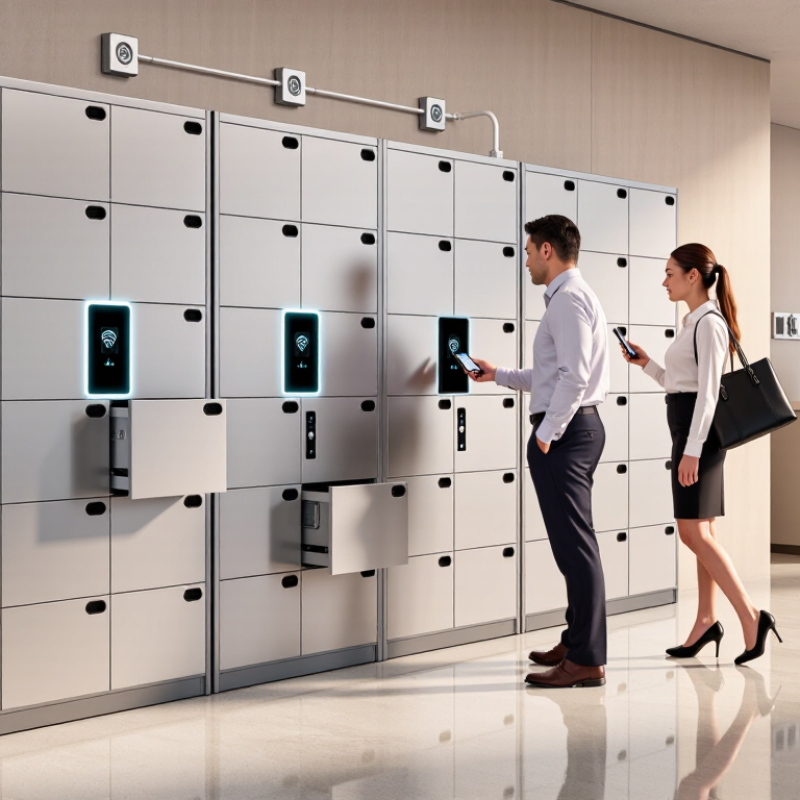
An RFID locker system should match the way people collect and return items, not just the number of doors available. Estimate peak demand by reviewing busy periods, such as the 8 a.m. shift change or a lunch-hour delivery window. Count how many users need access within the same 15-minute period. Daily averages can hide a queue.
Compartment size matters as much as total capacity. Measure the items people actually store: a small padded envelope, a laptop bag, or a parcel roughly 40 centimeters wide. If most deliveries are compact, reserving every compartment for large boxes wastes space. A practical mix might include many small doors, several medium compartments, and a few large ones. Test that mix against a week of real usage, then adjust it. The first estimate may be wrong.
Map the workflow, too. A user who collects an item in seconds creates less turnover pressure than someone who must inspect, sign for, or repack it. Consider how long compartments stay occupied and whether users receive clear pickup alerts. Track failed door openings and uncollected items after installation; these details can reveal capacity problems that a planning spreadsheet misses. Leave some spare capacity for unusual days. It costs space. But a system sized exactly to an average Tuesday may struggle on a busy Monday.
Planning example: For a modeled peak of 100 daily deliveries, this sample allocates 55 small, 30 medium, and 15 large compartments. Use your own peak-period delivery records and parcel-size mix to set capacity, and include spare compartments for demand spikes and longer pickup times.
For an RFID locker system in 2026, compare UHF EPC Gen2 with ISO/IEC 18000-63 carefully: they are closely related, not competing radio bands. EPC Gen2 defines the air-interface protocol, while ISO/IEC 18000-63 specifies the corresponding Type C interface. Both operate within the 860–960 MHz range, subject to regional frequency rules. Check that readers and tags support the frequencies used where the lockers will operate.
Ask suppliers for documented support for the chosen protocol, reader configuration, and tag types. Then run a pilot with real users and daily traffic. Measure missed reads, duplicate reads, and the time needed to identify an item. A quiet showroom test is not enough.
One practical caution: standards compatibility alone cannot predict performance in your locker layout. Test it. GS1’s EPC UHF Gen2 specification and ISO/IEC 18000-63 describe the protocol; on-site trials must confirm the system works as intended.
When evaluating an RFID locker system, test the actual items users will store. A card held flat against a tag may read instantly, while the same tag inside a wallet or behind a metal-backed phone may respond slowly. Try several tag positions, including near corners and seams. Small placement changes matter.
Map the read zone with the locker door open and closed. Move a tagged item slowly from the front edge to the back of the compartment, then test neighboring lockers for unintended reads. Record successful reads, missed reads, and response time. Repeat each test with different items and users; one convenient demonstration is not enough. It may still miss a frustrating edge case.
For 13.56 MHz equipment, confirm support for the relevant ISO/IEC 14443 options and tag types used in your operation. Ask the supplier to identify tested configurations, not just list a standard on a specification sheet. Metal surfaces, stacked cards, and tightly packed contents can change performance. Check those conditions in a realistic setup. If results vary, adjust tag placement or read-zone settings, then test again before deployment. A little inconsistency is worth investigating.
How to Choose an RFID Locker System in 2026?
Review security and integration before comparing cabinet finishes or screen sizes. Ask how users authenticate: card, mobile credential, PIN, or a combination. A second factor may suit lockers holding valuable equipment, while a simple card tap may work better for routine staff use. Test what happens when a credential is lost or a network connection drops. The fallback should be clear, controlled, and recorded. Check audit logs for the details you need, such as user, locker, time, and access result. Can an administrator export those records without special assistance? Retention settings matter, too.
Tips: Request a sample log and inspect it with your IT and facilities teams. Confirm that timestamps are consistent and failed attempts appear. Then review API documentation, authentication methods, data fields, and support for updates. A system that connects to existing identity or facility software can reduce duplicate work, but compatibility should be demonstrated in a test environment. Ask who manages API changes and how errors are reported. A polished demo can hide awkward integration steps.
During a pilot, try everyday edge cases: a user with a changed access role, a full locker bank, or a brief network outage. Record where staff hesitate. Not every requirement will be obvious on paper, and our first checklist may miss something. That is useful feedback. Choose a system whose security controls are understandable, whose logs are usable, and whose integrations your team can maintain.
When comparing RFID locker systems in 2026, look beyond the purchase price. A low-cost unit can become expensive if readers need frequent replacement or doors require repeated adjustment. Ask for a maintenance schedule, expected spare-part availability, and typical repair times. Check whether staff can clean the reader surface and inspect wiring without specialized tools. Small details matter. A loose hinge can disrupt daily use before the electronics fail.
Durability claims need context. IEC 60529 IP ratings describe protection against dust and water under specified test conditions; they do not guarantee resistance to impact, cleaning chemicals, or years of heavy use. An IP rating has two digits, and each indicates a different protection level. Match the rating to the actual location: a dry indoor corridor has different needs from a damp entryway exposed to splashes. Request test documentation for the exact locker configuration, not just a similar component. Also ask how seals, cables, and reader housings are checked during service. They can wear unevenly.
Build a lifecycle estimate using energy, maintenance visits, replacement parts, and downtime. Then compare it with the expected service life. Estimates are imperfect; usage patterns change, and busy sites often underestimate door cycles. Leave room for that uncertainty.
„Thanks to the LUVIR technology, the solder resist process could be switched directly from the previously used mask exposure to direct exposure. As an outstanding digital solution on the market, this technology has been able to demonstrate fast process times and superior quality on our certified conventional ink in production. This allowed us to fully digitize the solder mask process at low cost – without process or ink adjustments. An excellent benefit to our production in Rot am See.“
Ralf Göhringer (Head of Production WE Rot am See)
I would definitely recommend the Limata machine and team for a future company purchase
Michael Greenaway
Compunetics Inc.
“The Limata ldi has been amazing!! Best thing we did was buy this machine”
Richard Brady
GM
Circuitlabs
“Since 2019, we have been running the Limata X1000 LDI system (including LUVIR for solder mask imaging) in daily production as an addition to our current process with film. The machine was capable of properly exposing Taiyo PSR-4000 BN (DI) solder mask types on normal to high-copper boards using a new and unique direct imaging process. The machine operating interface is very user friendly which allowed for a quick technical training curve. The pre-registration processing reduced several seconds of production time at every print. Limata support and service staff is incomparable. They supported our team every step of the way at basically any time of the day or night, with literally, an immediate response time, customizing the software interface to best fit our Operations and needs.
We have exposed more than 8,000 prints since end of October, on various solder mask colors and some resist film panels. Limata, has proven to be very capable and innovative. They are a strong contender in the industry.
We have very much enjoyed this project, and working with the team!
Thank you Limata for the continued support and being a part of our growth.”
Bill Sezate
Vice President, GM
Summit Interconnect
As a replacement to our current contact exposure process with film, the LIMATA X2000 system including LUVIR-Technology was capable of properly exposing non-LDI solder mask types using a direct imaging process. The machine offers cutting edge software with a very intuitive operating interface which allowed for quick technician training curve. The dual drawer system combined with pre-registration processing reduced several seconds of production time at every machine cycle. Limata support and service staff is world class. They added software patches to keep production running at shortest possible response times, customized the software interface to best fit our in-house Operations system, and even wrote a step-by-step machine processing manual. As a result of the project, we have exposed more than 16,000 times on various product types and solder mask brands/colors. Limata, in a very short timeframe as a company, has definitely shown they are truly innovative and will be challenging the industry of direct imaging for the top spot.
Kevin Beattie
Process Engineer
TTM Technologies
Forest Grove Division